
Software Downloads


Sample data for use in Motive 2.x or lower from movements such as jumping jacks, golfing, running, etc. Also includes take files used in the tutorial videos.
System Specs: Motive 1.8 beta & Motive 1.10 beta


Real-time marker and 3D motion tracking for engineering-grade motion capture and OEM integration.

SmartNav is a reliable and accurate, hands-free mouse alternative that allows complete control of a computer by naturally moving the head.
Gain access to camera controls, 2D object data, camera synchronization, and 6DoF vector tracking. Applications may need to be re-compiled.
With an expanded feature set, Motive 2.3.7 advances its precision human and object tracking capabilities across VR, animation, movement sciences and robotics applications.
Notable updates include: Active rigid body speed improvements with up to 66% less latency, IMU sensor fusion improvements, enhanced Continuous Calibration, and support for 250+ cameras in one volume. Additionally, this version of Motive introduces active or passive ‘Anchor Markers’ to both aid Continuous Calibration with disconnected volumes, and provide peace of mind regarding origin drift.

Create startlingly realistic facial animation in minutes. Expression and ARENA share the same installer, so users with licenses for both only need to download one or the other.
The DirectShow Filter only supports Slim 3U, Flex 3, FLEX:V100, and s250e cameras (up to serial M001694).
Integrate OptiTrack cameras into existing DirectShow compatible applications, such as those built using OpenCV.
The DirectShow Filter should not be used at the same time as other OptiTrack applications due to camera control interference.
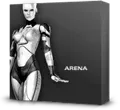
Motion capture software for full body animation and biomechanical analysis. ARENA and Expression share the same installer, so users with licenses for both only need to download one or the other.
Real-time interface for streaming 6DoF Rigid Body and skeleton data to Unreal. Learn more about the Unreal Engine 4 Plugin
Ready to build your system? Our team will tailor a motion capture solution to your space, goals, and application — so you get the best performance from day one.