Motion Capture for Simulation & Training
Bring real movement into immersive training. Track participants and physical props, then connect their motion to your simulation through Motive.
Connect people and props in one shared simulation
Capture how participants and equipment move within a common coordinate system. Stream that data into your application to drive avatars and connect physical props with virtual objects.

Participant movement
Track headset position and orientation, or capture body movement for participant avatars. Choose the tracking approach around the motion your simulation needs, from a tracked head to a marker-based full-body setup.

Tools and training props
Bring physical equipment into the virtual scene. Track the position and orientation of marked props so your application can connect the object in a participant’s hands with its virtual counterpart.

A shared training space
Track multiple participants and objects within a common coordinate system. Plan coverage around how people move, where props are used, and which parts of the environment may block camera views.
Precision tracking for demanding training environments
Explore simulation and training applications, from individual skills to coordinated team exercises

Simulation & Training
Power responsive, high-fidelity simulation with low-latency tracking for headsets, people, weapons, vehicles, props, and training environments.
Dismounted Soldier Training
Track full-body soldiers in VR/MR for squad, urban-ops, and room-clearing drills.
See V-Armed’s immersive training systemsWeapons & Marksmanship Training
Track instrumented weapons - muzzle, ready, trigger, reload - for engagement training.
See weapon tracking in V-Armed simulationsVehicle & Crew Training
Track operators and crews in vehicle and platform simulators for collective training.
Discuss vehicle and crew trackingFlight & Aircrew Simulation
Provide precise pilot head- and body-tracking for flight and aircrew trainers.
Discuss tracking for flight simulationMaintenance Training
Enable virtual aircraft, vehicle, and shipboard maintenance and depot-level training.
Discuss tracking for maintenance trainingLive-Virtual-Constructive (LVC)
Tie real personnel and platforms into blended live, virtual, and constructive exercises.
Discuss your LVC tracking requirementsFirst Responder & Emergency Training
Prepare fire, police, and emergency teams in high-fidelity virtual scenarios.
Discuss your emergency training applicationSimulation & Training
Power responsive, high-fidelity simulation with low-latency tracking for headsets, people, weapons, vehicles, props, and training environments.
Track full-body soldiers in VR/MR for squad, urban-ops, and room-clearing drills.
See V-Armed’s immersive training systems
Let’s talk tracking for your next simulation at I/ITSEC
Booth 1621 · Nov 30–Dec 3, 2026
Orange County Convention Center · Orlando, Florida
The Interservice / Industry Training, Simulation, and Education Conference is the world's largest conference of its type. Stop by our booth #1621 to meet the team and explore motion capture for simulation and training.

Inside V-Armed’s immersive training systems
V-Armed uses OptiTrack cameras, active tracking, and Motive to connect physical movement with multi-participant VR training. Its systems serve law enforcement, public safety, and military training programs in permanent facilities and mobile deployments. OptiTrack provides the tracking; V-Armed provides the simulation content and training workflows.
From physical movement to simulation data
01 · Capture motion
Cameras observe markers on participants and equipment in the calibrated tracking area.
02 · Process in Motive
Motive turns camera observations into tracking data for your configured subjects and objects.
03 · Connect your application
Stream tracking data through the Unreal Engine or Unity plugins, or connect custom software through the NatNet SDK.
04 · Drive the training experience
Your application controls interactions, scenarios, and training feedback. Confirm the data and software versions your project requires.


Active tracking built for missions that can't fail
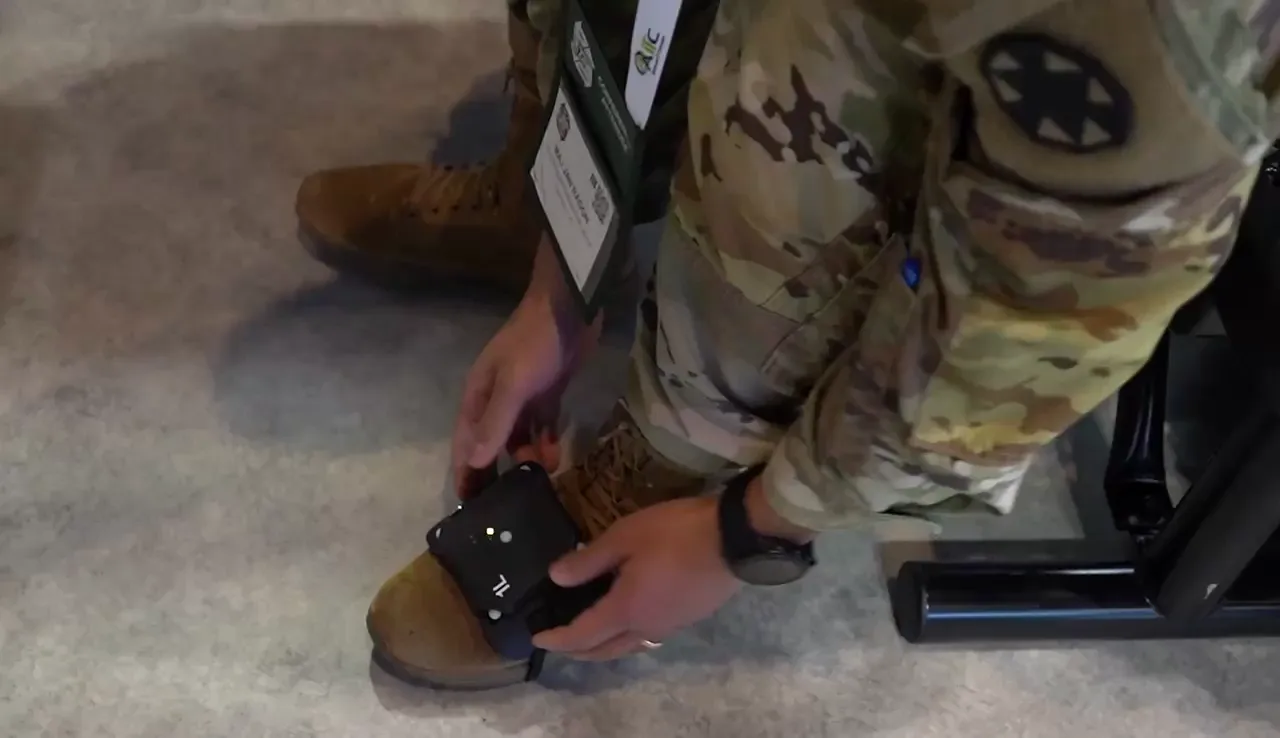
ActiveIO is OptiTrack’s new line of active tracking hardware, built for unmatched scalability and resilience. Each device self-identifies in light, fuses IMU + optical data, and syncs instantly with hundreds of other units for reliable 6DoF tracking.
Deploy in seconds. Operate anywhere. Track everything.
Choose the right tracking for your simulation
Passive markers reflect light from the cameras' IR LEDs back to the camera sensor. Because the light has to travel the full distance twice — out and back — range is limited and brightness drops off quickly. Two identical objects look identical to the system, so you can't tell markers apart without designing unique constellations by hand. Shop markers.


Marker-based precision. Markerless movement.
Duplex Mode streams marker data and grayscale video simultaneously from the same OptiTrack cameras. For simulation and training, this supports workflows that combine precisely tracked props and equipment with markerless body tracking through compatible software such as Captury. Learn more about Duplex Mode

Bring us your training brief
Start with the exercise + physical space and our technical sales engineers will help you design a motion capture system that works for your team.
- People and equipment: participant and prop counts, movements, and interactions.
- Space and visibility: room dimensions, ceiling height, usable area, and obstructions.
- Software and deployment: simulation engine, required data, and permanent or mobile installation.
A floor plan and a short exercise description are useful starting points. Early concepts are welcome.
Simulation and Training FAQs
Does OptiTrack provide the complete training simulator?
OptiTrack provides motion capture hardware, tracking software, and integration tools that can be used as part of a complete training simulator. Simulation content, scenario control, and performance assessment are typically provided by your simulation software or solution provider, like V-Armed.
Does headset tracking also capture full-body movement?
No. Headset tracking provides the headset's position and orientation; it does not, by itself, capture full-body movement. Full-body motion requires a suitable body-tracking setup and compatible software workflow. Define the movements you need before selecting the system.
Can we connect our own simulation software?
Yes. Developers can integrate OptiTrack tracking data into their own applications using the NatNet SDK, including rigid body positions, orientations, and skeleton data. OptiTrack also offers plugins for Unreal Engine and Unity. Confirm the required data types, software versions, and integration requirements for your workflow.
How many cameras will our training space need?
Camera count depends on the size of the capture area, the number of participants and tracked objects, the type and speed of movement, and marker visibility. Share your floor plan and intended workflow so the configuration can be evaluated. You can also use OptiTrack's Build My System tool to explore a starting configuration.
Can we track multiple participants and identical props together?
Yes. OptiTrack can track multiple participants and props simultaneously within a shared coordinate system. Self-identifying ActiveIO devices allow identical tracked equipment to be distinguished. The number of participants and objects a system can support depends on the capture area, camera coverage, visibility, and tracking configuration.
Can physical buttons or triggers send inputs to the simulation?
Yes. Supported ActiveIO devices can relay connected button or trigger signals through GPIO inputs to Motive and on to your application through NatNet.
These inputs are separate from a prop’s position and orientation data. Your application determines what each input does. Confirm device support, wiring, and software versions when planning the integration.
Does OptiTrack work with VR headsets?
Yes. OptiTrack can provide external position and orientation tracking for compatible VR headsets. Support depends on the headset model and the versions of Motive, the plugin, and the engine or runtime in your workflow. Check the current VR headset setup documentation and confirm your intended hardware and software combination before specifying the system.
Can OptiTrack track weapons, tools, and other training equipment?
Yes. OptiTrack can track physical objects such as training weapons, tools, and other props using active or passive markers. This allows their position and orientation to be tracked in real time and represented within a simulation environment.
Can OptiTrack track participants who are crouching, crawling, or moving behind obstacles?
Crouching and crawling can be tracked when the camera layout maintains sufficient marker visibility. Obstacles can block the cameras' view, so tracking behind them depends on whether other cameras can still see the required markers. Plan camera placement around the movements and obstructions expected in your training exercise.
Can OptiTrack provide real-time tracking for interactive simulations?
Yes. OptiTrack provides low-latency, real-time tracking data that can be streamed to compatible simulation applications. Overall responsiveness depends on the system configuration, network, and application processing.
Can an OptiTrack system be expanded as our training needs grow?
Yes. OptiTrack systems can be designed with future expansion in mind, including additional cameras and larger capture areas. Expansion options depend on the existing hardware, camera compatibility, networking, and desired tracking volume. Share your anticipated growth when planning the initial system.

Let’s plan your training & simulation tracking system
Tell us what you are training, what needs to be tracked, and where the system will operate. We’ll help you identify the tracking and integration requirements for the next step.